
Download MobaXterm – Unix terminal, Windows, remote computing, SSH, command line, free terminal emulator, productivity tool, system administration, advanced terminal, powerful terminal
Overview
MobaXterm is a powerful Unix terminal emulator designed specifically for Windows users who require advanced command-line capabilities without the complexity of traditional Unix environments. Its primary purpose is to bridge the gap between Windows-based systems and Unix-like workflows, enabling seamless remote computing, system administration, and development tasks. The application is particularly valuable for IT professionals, developers, system administrators, and students working in technical fields who rely on SSH, terminal sessions, and command-line tools.
By offering a comprehensive suite of Unix utilities within a Windows-native interface, MobaXterm eliminates the need for separate tools or virtual machines. It solves common pain points such as fragmented workflows, limited terminal functionality, and the steep learning curve associated with Unix systems. The software supports real-world use cases including remote server management, secure file transfers, network diagnostics, and scripting automation—all from a single, unified interface.
Developed by Mobatek, MobaXterm has established itself as a trusted utility in the technical community. Although the developer did not provide additional technical details about its architecture or underlying frameworks, the app’s reputation is built on its reliability and feature richness. Its role in the productivity tool ecosystem is significant, serving as a lightweight yet robust alternative to full Linux distributions or complex terminal emulators.
Key Features & Functionality
MobaXterm stands out due to its well-structured feature set, designed to enhance efficiency and flexibility in command-line workflows. Each feature is thoughtfully implemented to support both beginners and experienced users.
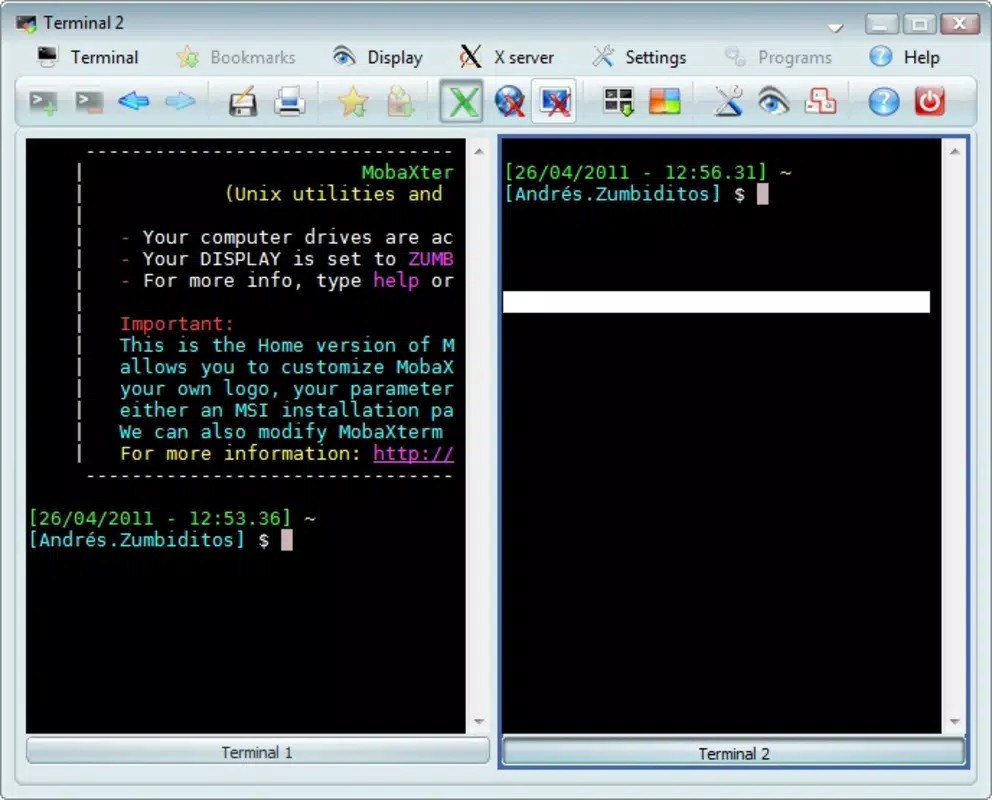
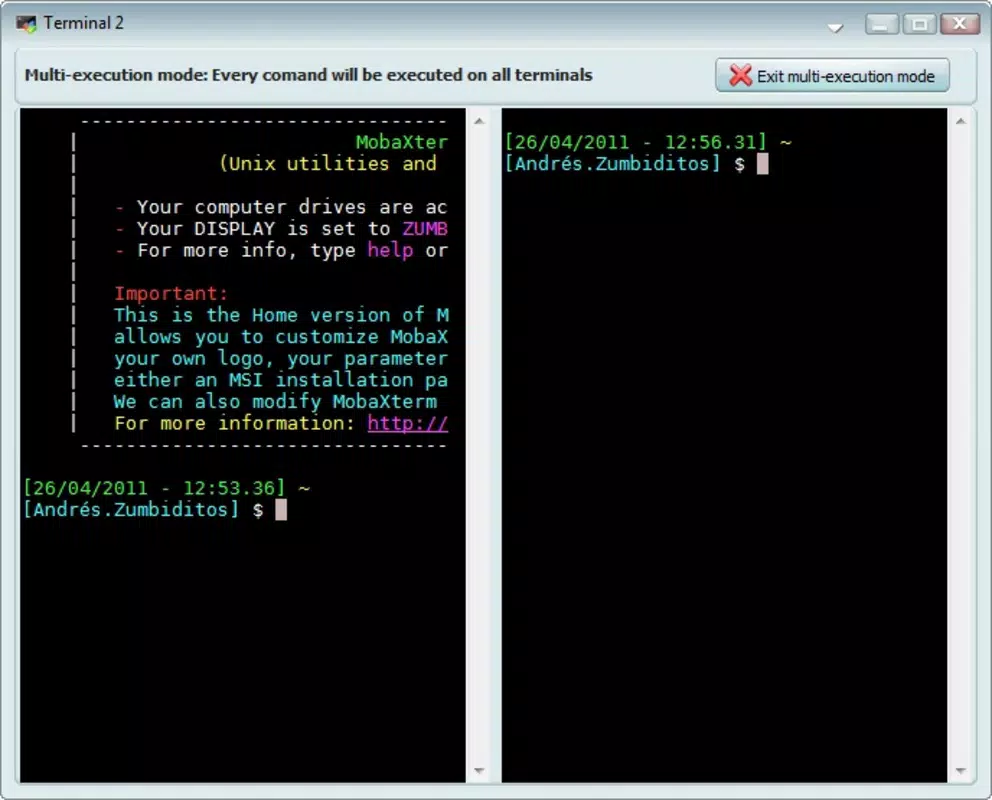
- Multi-Tab Functionality: Users can open multiple terminal sessions simultaneously, each operating independently or synchronized. This allows for efficient multitasking—running different commands on various servers, monitoring logs, or testing scripts—all within a single window. The ability to execute the same command across all tabs streamlines repetitive tasks.
- Plugin Personalization: The software supports custom plugins, enabling users to extend functionality based on their workflow. This could include integrating additional tools, enhancing syntax highlighting, or automating repetitive actions through scriptable extensions.
- User-Friendly Interface: Despite its advanced capabilities, the interface remains intuitive. Menus are logically organized, shortcuts are customizable, and visual feedback is immediate. This ensures a smooth onboarding experience for new users while still offering deep customization for power users.
- Versatility and Comprehensiveness: MobaXterm combines a terminal emulator with built-in tools such as X11 server, file transfer clients (SCP/SFTP), network utilities, and a built-in hex editor. This all-in-one approach reduces dependency on third-party software.
- Free and Powerful: The application is available at no cost, making it accessible to students, educators, and professionals alike. Its free model does not compromise on performance or feature depth, offering a premium-grade experience without financial barriers.
Interface, UX & Performance
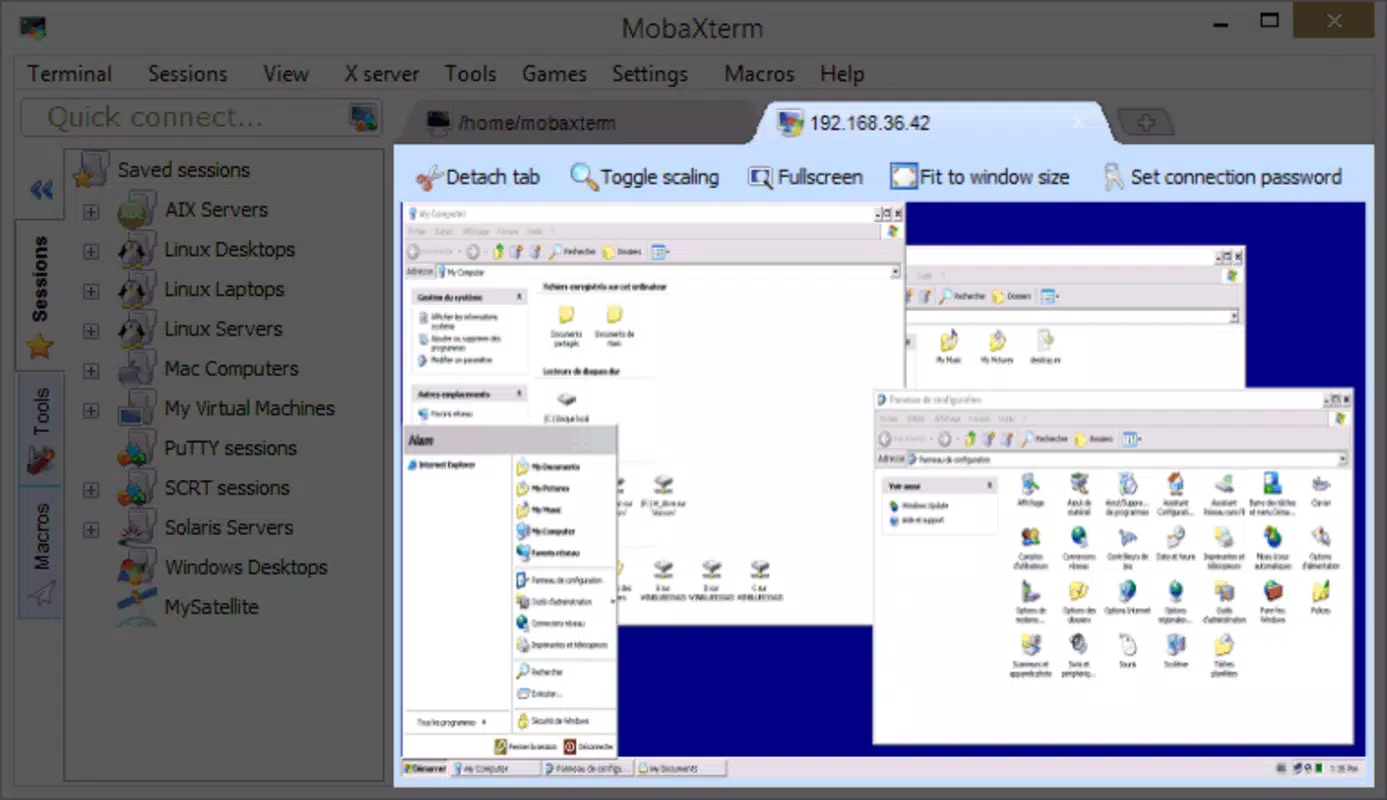
The interface of MobaXterm is clean, modular, and highly functional. It features a central terminal pane flanked by side panels for session management, file browsing, and command history. The layout is responsive and adapts well to different screen sizes, providing a consistent experience across desktop and high-DPI displays.
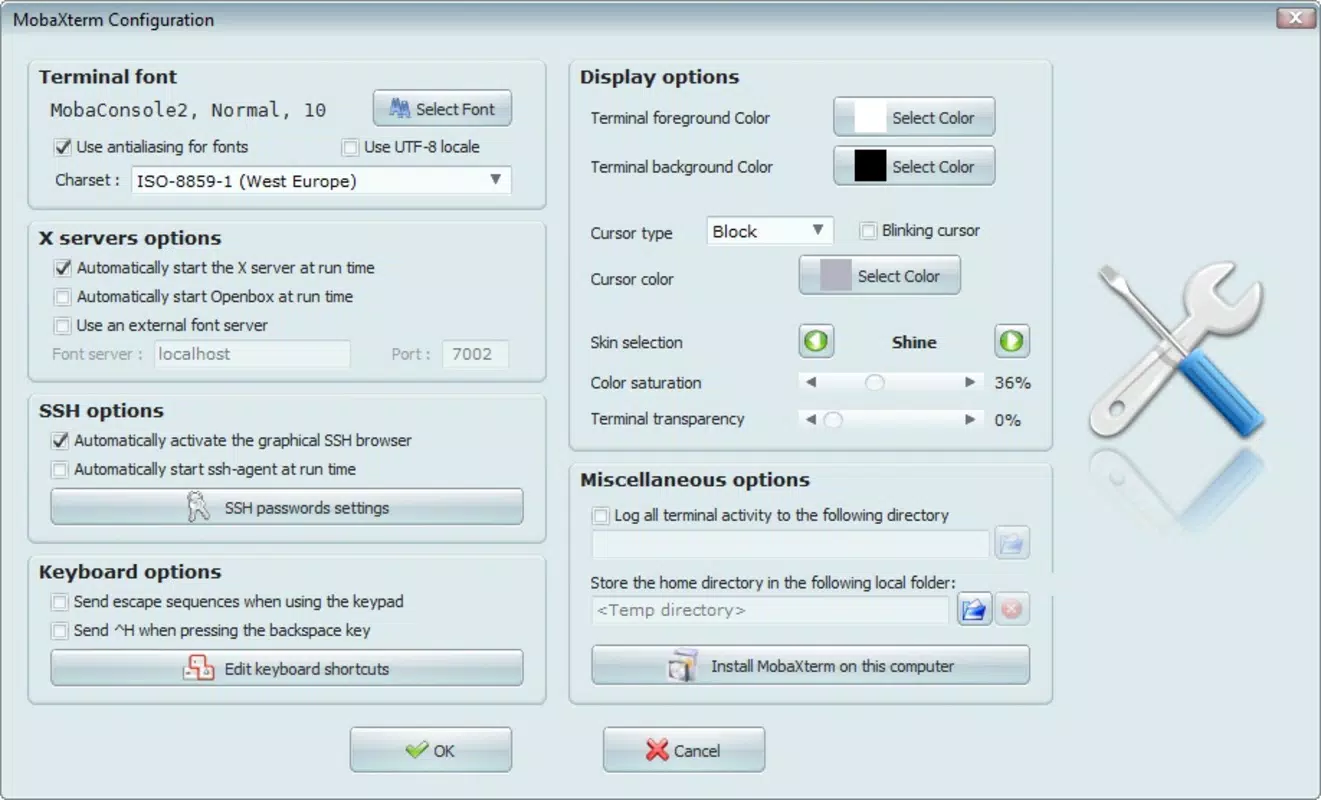
Navigating through sessions, managing tabs, and switching between local and remote environments is intuitive. The application uses a tab-based system that supports drag-and-drop reordering, right-click context menus, and keyboard shortcuts for quick access. Users can customize themes, font sizes, and color schemes to suit their preferences, enhancing visual comfort during long work sessions.
Although the developer did not list formal performance metrics, the software demonstrates stable operation even under heavy workloads. It maintains responsiveness during prolonged SSH sessions and file transfers. The lightweight footprint of 44.7 MB contributes to fast startup times and minimal resource consumption, making it suitable for older or low-spec machines.
Stability is a notable strength—users report consistent behavior across multiple sessions and updates. The absence of crashes or freezes during extended use indicates solid underlying architecture and efficient memory management.
Platform Compatibility & Technical Requirements
MobaXterm is designed exclusively for the Windows platform, supporting Windows operating systems with no specified minimum version. The application is distributed as a portable executable, meaning it can be launched directly without installation, offering flexibility for use on multiple machines or removable drives.
The file size is 44.7 MB, which is relatively small for a feature-rich terminal emulator. This compact size contributes to quick downloads and minimal disk usage. Specific system requirements were not listed, but the lightweight nature suggests compatibility with a wide range of Windows devices, including those with limited hardware resources.
Compatibility information was not fully disclosed. Users should ensure their system meets general Windows compatibility standards for running executable applications.
Pros and Cons
Pros
- Free to download and use with no hidden costs
- Portable version available—no installation required
- Rich feature set including multi-tab support and plugin integration
- Intuitive interface suitable for both beginners and experts
- Lightweight with low system resource usage
- Supports SSH, SCP, SFTP, X11 forwarding, and other essential protocols
Cons
- Platform is limited to Windows—no native support for macOS or Linux
- Developer did not provide detailed technical specifications or system requirements
- Advanced customization may require some technical knowledge
- No official mobile version or cloud sync capabilities
- Limited documentation beyond basic tutorials
FAQ
Is MobaXterm safe to download and use?
Yes, MobaXterm is a legitimate software developed by Mobatek. It is distributed through official channels and does not contain malware or intrusive ads. Users should always download from the developer’s website to ensure authenticity.
Can I use MobaXterm on multiple computers?
Yes, since it is a portable application, you can copy the executable file to different Windows machines and use it without installation. There are no licensing restrictions for personal or professional use.
Does MobaXterm support remote desktop connections?
MobaXterm does not include native remote desktop protocols like RDP or VNC. However, it supports secure remote shell access via SSH and file transfers via SCP/SFTP, which are commonly used for remote system administration.
Is there a mobile version of MobaXterm?
Currently, there is no official mobile version of MobaXterm. The software is designed for desktop use on Windows systems only.
How often is MobaXterm updated?
The latest version, 24.2, was released on April 12, 2024. While update frequency is not specified, the developer maintains an active release cycle, suggesting regular improvements and security patches.
Final Thoughts
MobaXterm delivers a compelling combination of power, simplicity, and affordability. It is an ideal tool for anyone who works with Unix-like environments on a Windows machine—whether you're managing remote servers, developing software, or learning command-line operations. Its multi-tab interface, plugin support, and built-in utilities make it a standout choice among free terminal emulators.
While it is limited to Windows and lacks mobile access, its strengths in performance, usability, and feature completeness outweigh these constraints for its target audience. For students, developers, and system administrators seeking a secure, reliable, and comprehensive terminal solution, MobaXterm is an essential productivity tool.
Download MobaXterm now


